Monday, 17 September 2012

Short Cuts Methods in Computer deeds

There are many short cuts in computer usage
(win - window)
To access Rum option in start, use short cut 'WinKey+R 
To minimize all the opened windows - Win+m
To maximize all the minimized windows - win+s
To lock the screen - win+l
To open the My computer with short cut is win+E
Short cut to goto search - Win+F
Short cut for utility manager - Win+U
To minimize all the windows and to view desk top - Win+D

Video Player:

While watching videos, to make it full screen, press 'F' Key and if you want be back to same screen then press 'Esc'.
To play the video player or pause the player, just press space bar.
To forward the video then press 'shift+Right Arrow'
For backwording the video press 'Shift+Left Arrow'
To stop the video not to play, press 'S'
To close the video, press 'Ctrl+Q'
To increase the sound 'Ctrl+up arrow'
To decrease the sound 'Ctrl+Down arrow'
To keep the volume in mute - press 'M'
To increase the video to Zoom then press 'Z'
To reduce the video from zoom then Press 'Shift+Z'

Facebook:

To enter the home page of Facebook, Press 'Shift+Alt+1
To goto profile page, press 'Shift+Alt+2'
Short cut for sending friend request- Press 'Shift+alt+3'
For reaching account setting - Press ' shift+alt+6'
For privacy settings - Press 'shift+alt+7'
For facebook pages - Press 'shift+alt+8'

Short cuts for MS office users:

To select a word, just keep your point at the word and double click with mouse.
To select full paragraph, you need to triple click.
To change the text font, then press 'Ctrl+Shift+F


HCL ME Y 2 Tablet


HCL company launched a new tablet into the market, it is HCL ME Y 2 Tablet. With the help of 3G features you can make video calling. For having this, there is a special sim card slot. This is a touch screen system and it is 7 inches. The image resolution is 1024*600 Pixel. Android 4.0, 1GB Ram, Mali 400 GPU, 8GB internal storage, There is 2 mega pixel camera is arrange at the back part of the tablet. At the front, VGA camera, HDMI , Mini USB port features are arranged. While using this HCL Me Y 2 Tablet, you can download applications  from ME App Store. The weight of this is 388 grams and the cost of HCL ME Y 2 Tablet is Rs 14,999

Xiomi Phone 2

The Xiomi Phone 2 was launched first time in world with Qualcomm's Snapdragon S4 Pro 1.5Ghz quadcore Processor. It has a 2GB Ram, They used Adreno 320 graphics. It even has a touch screen of 4.3 inches LCD. The quality of the image is 1280*720 Pixel and 8 Mega Pixel camera was arranged at the back side of the mobile. You can take 1080 pixel high definition videos. Xiomi Phone 2 is 10.2mm thin and delicate. It has a inbult memory 16GB. With the help of Micro SD card you can increase the memory capacity upto 32 GB. there are 3G, wifi, Blue tooth 4.0, HDMI out features are there. This works with the Android 4.1 version operating system. 

Flexi Dock Speaker - For Android mobile users

Philips company has launched a Flexi Dock Speaker. This is specially launched for the Android mobile users, This is AS111 Model. You can connect speaker to mobile via Bluetooth. You can set the mobile in 360 degree by docking. This speaker consists of lead display. It even have stereo, FM, alarm clock facility also. 


Galaxy Note 800 Tab

Samsung has launched a new tablet called Galaxy Note 800. This is very delicate to handle and its weight is 600 grams. It has a touch screen system and its length is 10.1 inch. Its image pixel resolution is 1280 *800 pixel. With the help of multitasking you can access 2 to 3 applications at a time. Galaxy Note 800 has 3G feature also, by using this you can make voice calls also. This tablet works on Android operating System. At the Back side of the Galaxy Note 800 Tab, a 5 Mega Pixel camera is arranged. It even contains 1.4Ghz Quad Core Processor, Mali 400 Graphics, 2GB Ram, 16GB internal storage, You can take videos with 720 pixel with high definition quality.

When your Website get down - you can get a Free Sms

By setting Google Docs to your website's uptime and if your website gets down or no visitors then you will receive an instant alert. For this to perform Google Docs based website Monitoring tool latest version is best.

1. Number of your websites and blogs can be monitor at down time or uptime in a single way.

2. As you receive Email alerts about your websites or blogs, you can even now receive SMS alerts through your phone whether your site is uptime or downtime.

Through Google calender the text alerts will be sent and this is absolutely free.

Google Docs based website monitoring tool helps us to monitor unlimited number of blogs and website domains. This tool sends SMS alerts and Email alerts too. It is absolutely Free.

Text Alerts from Real time website Monitoring :

1. For having a personal copy of website monitor HD sheet, just click the link below
https://docs.google.com/spreadsheet/ccc key=0Aofk8L6brI_edG1hSzdZei1oekI1aUZCdDRFMkRVRWc&newcopy=true

2. Then a new website monitor menu appears in tool bar. When you click on initialize then an pop up appears, which is asking for authorization. So just answer it Yes.

3. Fill the website Url's with your Url's separated with comma's and your Email address in Email address column.

4. Now choose start monitoring in website monitor Menu. 

Then close Google Doc sheet and therefore your sites in the background will be monitored by Google docs.
                    For stop receiving SMS, you just need to change "YES" to "NO" in SMS Notification column.

Sunday, 16 September 2012

Edit PDF files without Adobe Acrobat

In earlier PDF file was created using Adobe. According to Google statistics there are 700 plus million PDF documents in internet. To see these 700 million PDF documents type " filetype: PDF" in Google search box.
Why PDF file format is much popular for all types of documents and even presentations, legal forms and drawing of CAD.
         
1. Generally PDF files are compact in size compare to source document and these files save the original format.

2. Compare to word documents and other documents , it is bit tough and difficult to modify the PDF documents.

3. PDF Documents can be accessed in any computer and mobile with the support of Adobe Acrobat Reader Software. The browser Google chrome can access PDF files and documents without using any plugins. You  can even create PDF file.

By Using Free Alternative to Adobe Acrobat Edit PDF File

Defaultly PDF file are 'Read Only files'. In earlier it is tough to edit PDF files but now you can edit PDF documents without taking support of source files. By using Adobe Acrobat editing tool you can edit PDF files easily.
           For manipulating PDF file structures that is rearranging pages and multiple PDF's merging into one.

For Performing basics Tasks - Online PDF Editor:

To make small changes in PDF files like hiding your personal information and to include titles for the pages which contain content and notes for the free hand diagrams. Such changes can be performed very easily by using free online PDF Editor PDFEscape.com. The editor even helps in editing password - protected documents also.


            With the help of PDF Escape, Few parts of PDF files can be hidden using white out tool and other changes can be made with the help of sticky notes, arrows, custom shapes and text boxes. You can even add hyperlinks to other PDF pages and web documents.

How Meta Data Present in PDF files can be changed:


By using utility 'BecyPDFMeta Edit',   the meta data present in PDF files can be changed. This is a free one and even help us in editing the properties like keywords, creation data, title, author name of any PDF file. You can remove PDF passwords by using this tool. It will help in encrypting PDF Documents. So that the password who know can only access the PDF document and read the content from the PDF files.
          To post your PDF files on the web, you have to include proper meta data in all files. so that, this will improve the ranking in Google search results.

PDF Text can be Edited:

To edit the text content in PDF file and you may not have source document to access. So it is good to content PDF file into word document or Excel spread sheet according to your content or your interest. Now these edited documents which are modified by using Ms office and again convert them in  PDF file format with PDF writer.
           A PDF Document containing more content then it can be converted to desktop version by using Stanza which converts PDF Document to word Document. The PDF Document which contains charts, tables, images and any other then by using BCL Research you can PDF to word online or Nitro PDF.

Editing of PDF with advance utilities :


You have learnt few basic editing of PDF till now. There are advanced editors also which can replace images, append signatures and remove blocks of text without mixing the flow of text from PDF Documents.


> PDFXchange - This is a editor and PDF file viewer. IT is free and can be used for typing text directly on PDF pages. This also supports stamp images also. You can even insert images anywhere by using Signing PDF files tool.


> Inkscape - It is a drawing tool like adobe with the help of inkscape any object on the PDF page can be selected and moved to any location in the PDF page. It even helps in removing any object from PDF file permanently. By using Inkscape you can annotate PDF files and can draw free hand diagrams on the page.


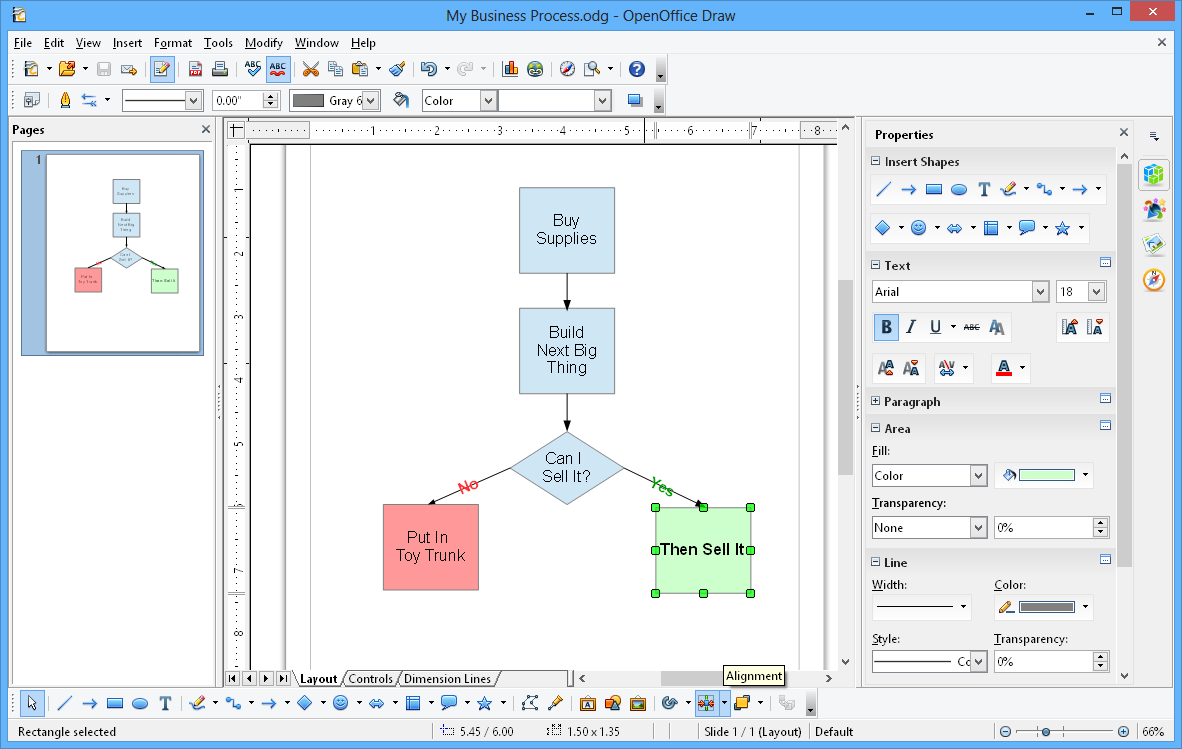
> Open office draw: This mostly helps in inline PDF editing. so typos can be fixed in PDF files easily. It even help in making format changes like replacing color, text font etc.


> Open office tool box also helpful in changing shapes, annotations, tables changers etc. The specialty of it is less complex software and more choice.